Every maintenance technician knows the drill: shut down the machine, isolate energy sources, apply locks and tags, verify zero energy. But how many times have you seen a lockout procedure fail—because someone couldn’t find the right tag? Or worse, used a handwritten note that was unclear or fell off?
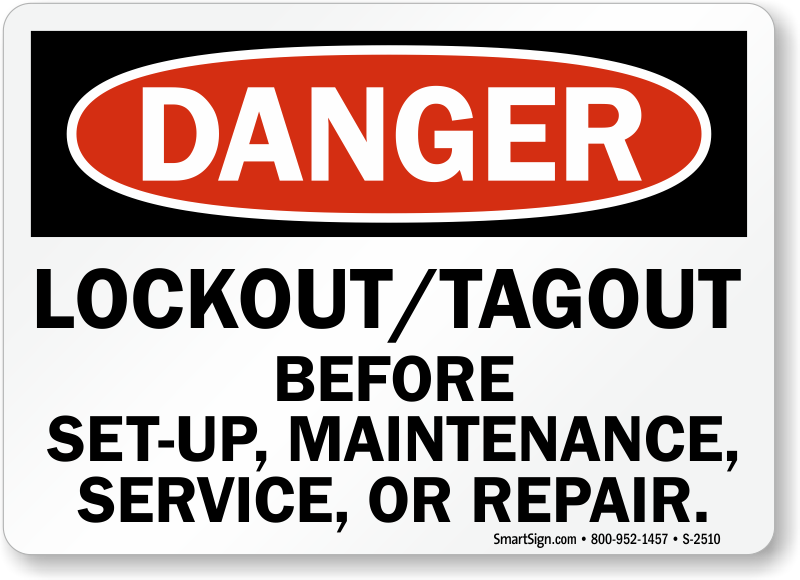
A properly designed lockout tag printable sign isn’t just paperwork—it’s the last line of defense against accidental startup, electrocution, or amputation. The real power lies not in the tag itself, but in its clarity, durability, and accessibility. And that’s where printable signs come in.
They bridge the gap between regulatory compliance and real-world usability. When done right, they save time, reduce errors, and reinforce a culture of safety. When done poorly? They become ignored clutter.
Let’s break down how to get it right.
Why Printable Lockout Tags Are More Than Just Convenience
Printable lockout tags solve a simple but critical problem: you can’t always predict when maintenance will happen. Pre-printed rolls may cover common scenarios, but what about the hydraulic press with a custom valve setup? Or the temporary bypass during commissioning?
That’s where on-demand printing wins.
Printable lockout tag signs let you: - Customize messages for unusual or non-routine energy sources - Add site-specific details (equipment ID, shift supervisor, date/time) - Respond instantly to evolving work orders - Maintain consistency across teams and shifts
But beware: “printable” doesn’t mean “print anything.” A sloppy tag with smudged ink, missing warnings, or no enforcement language is worse than useless—it creates false confidence.
Key Elements of an Effective Lockout Tag Printable Sign
A compliant and effective printable tag isn’t just a label with “Do Not Operate” slapped on it. It’s a communication tool built for high-stress environments. Here’s what must be included:
1. Clear Prohibition Statement Start with a direct warning: “DO NOT START,” “DO NOT OPEN,” “EQUIPMENT LOCKED OUT – DO NOT OPERATE” Use bold, high-contrast text. No ambiguity.
2. Energy Source Identification Specify which energy type is isolated:
- Electrical
- Hydraulic
- Pneumatic
- Mechanical
- Chemical
Example: “Main 480V disconnect locked. Hydraulic pressure bled and blocked.”
3. Authorized Personnel Info Who applied the lock? Include:
- Name
- Department
- Contact or ID number
- Date and time applied
This creates accountability.
4. Reason for Lockout Not all workers know why a machine is down. A short reason prevents tampering: “Motor replacement – shaft coupling alignment in progress.”
5. Safety Standards Reference Include a line like: “Complies with OSHA 1910.147 – The Control of Hazardous Energy” This reinforces legitimacy.

6. Durable Design Features Even printable tags must survive:
- Water-resistant or laminated material
- UV-stable ink (for outdoor equipment)
- Tear-resistant substrate
- Pre-punched hole for lock attachment
Common Mistakes That Undermine Lockout Tag Effectiveness
Too many printable tags fail in the field—not because of design, but because of bad habits.
❌ Using Generic Templates Without Customization A tag that says “Under Maintenance” could mean anything. Is it oil change? Emergency repair? Software update? Be specific.
❌ Printing on Standard Printer Paper Paper tags disintegrate with grease, sweat, or rain. Always print on synthetic label stock or laminate after printing.
❌ Skipping the Lock Attachment Point A tag without a hole for a padlock is just a sign—not a control device. Ensure every printable design includes a secure loop or punch.
❌ Allowing Handwritten Additions If your template requires handwriting critical info (like name or time), you're inviting errors. Use fillable fields in your template instead.
❌ Not Training Staff on Tag Usage Having the best printable tag means nothing if workers don’t know when—or how—to use it. Reinforce procedures regularly.
Best Printable Lockout Tag Templates for Real-World Use
You don’t need to design from scratch. Here are five proven template types used in manufacturing, utilities, and facilities:
| Template Type | Best For | Key Features |
|---|---|---|
| Standard LOTO Tag | Routine maintenance | Pre-filled warnings, space for name/date, energy source checklist |
| Multi-Energy Isolation Tag | Complex machinery | Grid layout for 5+ energy types, verification checkmarks |
| Group Lockout Sheet | Crew-based work | Multiple signer fields, supervisor approval block |
| Temporary Bypass Tag | Commissioning/testing | Expiration time field, “TEST ONLY” header, approval signature |
| Out-of-Service Tag (Extended) | Long-term shutdowns | 30/60/90-day validity, audit trail section |
These templates should be stored digitally in your CMMS or safety portal—ready to print at any workstation with a label printer.
Top 5 Tools for Creating & Printing Lockout Tag Signs
You don’t need a graphic designer to produce professional tags. These tools are trusted in industrial environments:
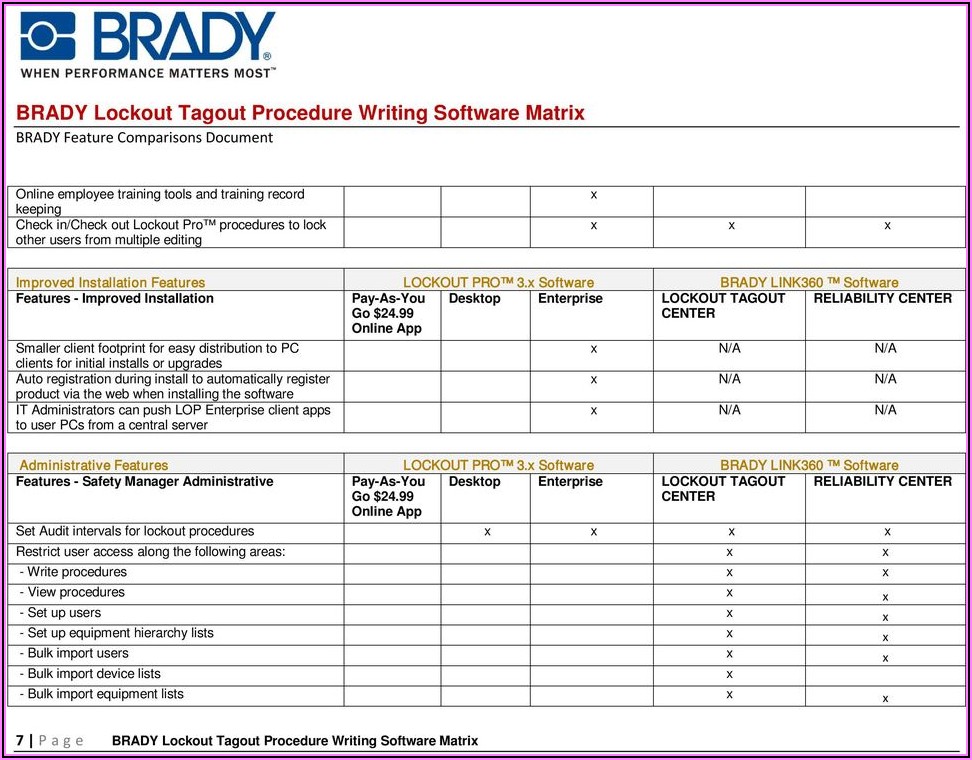
- Brady Workstation
- Cloud-based platform with OSHA-compliant templates. Integrates with barcode scanners and ERP systems. Print directly to Brady printers using durable i3000 labels.
- SafeGauge LOTO Software
- Lets you build printable tag templates with conditional logic. For example: if “Hydraulic” is checked, it auto-includes bleed-down instructions.
- Microsoft Word + Label Templates (Free)
- Use free .dotx templates from OSHA or NIOSH. Best for small shops. Limitation: no dynamic fields or database integration.
- DYMO Label Software
- Lightweight and compatible with common label printers. Ideal for on-the-fly printing of small batches. Use with polyester tags for durability.
- EHS Insight
- Full EHS platform with LOTO module. Generates printable tags tied to work orders. Tracks tag history and expiration.
Pro Tip: Pair any tool with a mobile tablet at the maintenance bay. Technicians pull up the job, customize the tag, print it, and attach it—all in under 60 seconds.
How to Implement Printable Lockout Tags Without Disrupting Workflow
Adoption fails when safety tools fight daily reality. Here’s how to make printable tags part of the rhythm:
Step 1: Audit Your Current LOTO Gaps Walk the floor. Where are workers improvising? Are tags missing? Are locks untagged? Use this to guide template design.
Step 2: Choose a Central Printer Location Place a rugged label printer near the maintenance desk or tool crib. Load it with 4” x 6” weatherproof tags.
Step 3: Integrate With Work Orders Link tag printing to your CMMS. When a work order is approved, the system prompts: “Print lockout tag?”
Step 4: Train with Real Scenarios Don’t just show a tag—simulate a motor change on a conveyor. Have trainees print, fill, and apply the tag correctly.
Step 5: Audit Monthly Randomly check 10 active lockout tags per month. Are they complete? Durable? Properly attached? Use findings to retrain or refine templates.
Beyond Compliance: How Smart Tags Prevent Accidents
A printed tag isn’t just about checking an OSHA box. It’s a behavioral cue.
Consider this real case: At a Midwest food processing plant, a technician was clearing a jam in a packaging line. He locked out the main drive but used a torn scrap of paper as a tag. A relief operator saw the paper, assumed it was trash, and restarted the line. The result: a severe hand injury.
After the incident, the plant switched to standardized printable lockout tags with: - Tamper-resistant lamination - Red “DO NOT OPERATE” headers - Mandatory fields for name and time
Within six months, unauthorized restarts dropped to zero.
The lesson? Clarity prevents assumptions. Professional tags signal seriousness.
Final Thoughts: Make Safety Immediate, Not Invisible
A lockout tag printable sign should never feel like an afterthought. It’s a core safety control—equal in importance to the lock itself.
Stop relying on memory, scraps, or generic labels. Design or download templates that reflect your real workflows. Print them on durable material. Enforce consistency.
When a technician can print a clear, professional tag in seconds, you’ve removed friction—and elevated safety.
- Start today:
- Download a free OSHA-compliant template
- Test print it on synthetic stock
- Run a 1-week pilot in one department
- Gather feedback and scale
Because the best safety system isn’t the most complex—it’s the one people actually use.
FAQ
What should you look for in Lockout Tag Printable Sign: Save Time & Stay Compliant? Focus on relevance, practical value, and how well the solution matches real user intent.
Is Lockout Tag Printable Sign: Save Time & Stay Compliant suitable for beginners? That depends on the workflow, but a clear step-by-step approach usually makes it easier to start.
How do you compare options around Lockout Tag Printable Sign: Save Time & Stay Compliant? Compare features, trust signals, limitations, pricing, and ease of implementation.
What mistakes should you avoid? Avoid generic choices, weak validation, and decisions based only on marketing claims.
What is the next best step? Shortlist the most relevant options, validate them quickly, and refine from real-world results.